Wedding Planning: Design Your Dream Wedding Online

Events Clique’s 3D Space Designer’s free* online wedding software will bring your wedding planning ideas to life. Take the guesswork out of designing your wedding ceremony and reception by laying out floor plans with all the finishing touches such as where each table should be located, what color schemes should be used, where the stage, dance floor, and cake table should go, and more.


Free Sign Up


Layout the Floor Plan

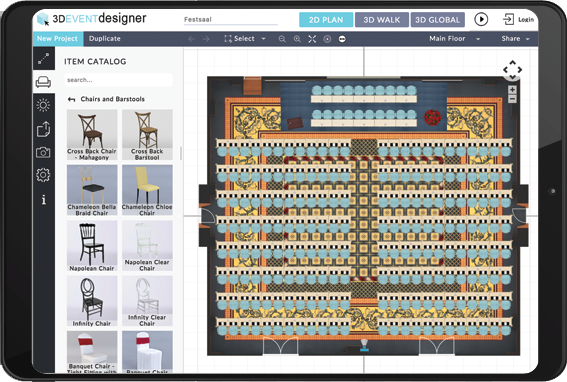
Start a new floor plan from scratch with your wedding venue’s dimensions (indoor and outdoor floor plan options are available). Or select from one of our pre-modeled wedding venues available spaces. Add in details like furniture, centerpieces, and décor in just minutes. Try the 3D Space Designer >>


Decorate with Real Products and Colors

Experiment with either generic products or our vendor specific products. Easily change dimensions and colors (click on the product in the 2D view) to fit the look of the wedding you have envisioned.


Create Multiple Design Options

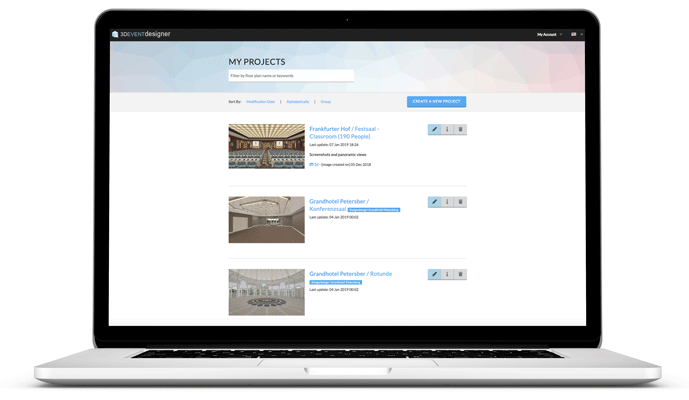
Already created one floor plan, but not sure if it’s exactly what you want for your wedding? Duplicate your original wedding design instead of starting over from scratch and then make design changes by moving furniture, swapping out décor, or changing colors. Your original wedding floor plan and all duplicates will be saved in your account for you to share with family and friends to help you decide on the perfect setup.


Visualize and Share the Wedding Ceremony and Reception Floor Plans

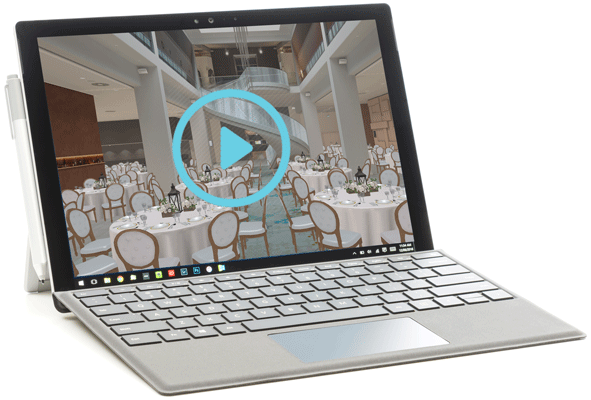
Visualize your big day before it takes place in realistic interactive 360 degree 3D. Want a second opinion? Share your interactive wedding software designs with family and friends by email or on Facebook to get feedback while wedding planning.


Create Setup Notes for All Vendors

Make wedding planning a breeze by easily creating a PDF of the floor plan with an itemized list of the products for your vendors to ensure everyone is on the same page. The PDF generated includes:

  • 2D floor plan of the wedding ceremony and/or reception so all vendors can see where each piece of furniture and décor should be located
  • Notes you saved throughout the wedding planning process specific to the setup
  • An itemized list of all products that are within the floor plan and the quantity of each


Create a Seating Chart

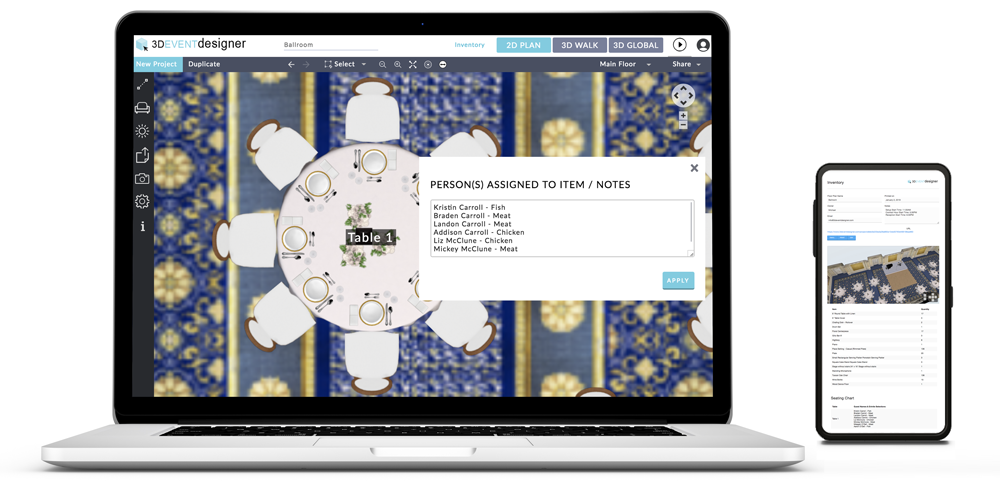
Number or name your tables and chairs to create a visual of where each guest is sitting.

  • View the table numbers and where each guest is sitting in 2D and 3D
  • Hide (turn off) your table numbers and guest seating assignments from both the 2D and 3D views as needed
  • Easily create a PDF of the floor plan and Seating Chart for easy setup


Need More Wedding Planning Tools? Check Out Our Check List and Budgeter!

Ensure you don’t miss a step in planning your dream wedding with our customized To Do checklist that offers progress tracking throughout the wedding planning process. Need help staying on budget? Not a problem with our customized Budgeter that allows for easy viewing of Budget and a Spent-to-Date comparison.